If you’re an indie author, you’ve probably heard that a web site is essential. If you’re not, you may wonder what I’m talking about. If you don’t need to know how all the moving parts of this site you’re currently viewing fit together, you may still enjoy reading about how it works and why I made the decisions I did.
Social media accounts are no replacement for owning your own web site with your own domain, controlled by you. Social media sites will censor you or drown your posts under infinite AI pics of cats with bread on their faces. If you have your own site, you can always post links to it on any social media platform you happen to be using that week. When that site becomes a useless pit, as they do, you can move on to the next one with minimal effort.
What do I mean by owning your site? You need to have all the passwords. Your name must be on the hosting provider’s records and the domain name registration. You need to know how it works well enough to edit the content. Sure, have a relative help you set it up and get started. But I can’t count the number of times I’ve had someone cry on my shoulder because their helpful relative set up something that they don’t have the permissions or the technical knowledge to change. That means any updates must wait until that other person has time to get to it. Whenever that is.
You’ll notice that I mentioned a hosting provider. I pay Dreamhost.com $100/year to host my web site. Did you just read that number and gasp, thinking, “I don’t even make that much a year from my writing! My sister offered to set a site up for free on a spare computer in her house.” That’s certainly a valid choice, but my advice is not to take her up on it. Hardware dies. Is your sister backing up that computer? Has she done a test restore to make sure the backups are working? How reliable is the power to her house and neighborhood? Will you cope if her cable company blows her off the net for two weeks while doing necessary maintenance?
You can always split the difference: take your sister up on her offer of setting up the web site and then migrate it to hosting later. Make sure you know how migration is going to work.
My site is hosted in a professional data center. If there is a problem, I often get email informing me that it’s been fixed before I notice anything wrong. If I have a question, I can send email and expect a helpful answer within a couple of hours. I once pushed the wrong button and deleted my entire site (oops). I pushed another button and Dreamhost restored it from backup. Peace of mind is worth lots.
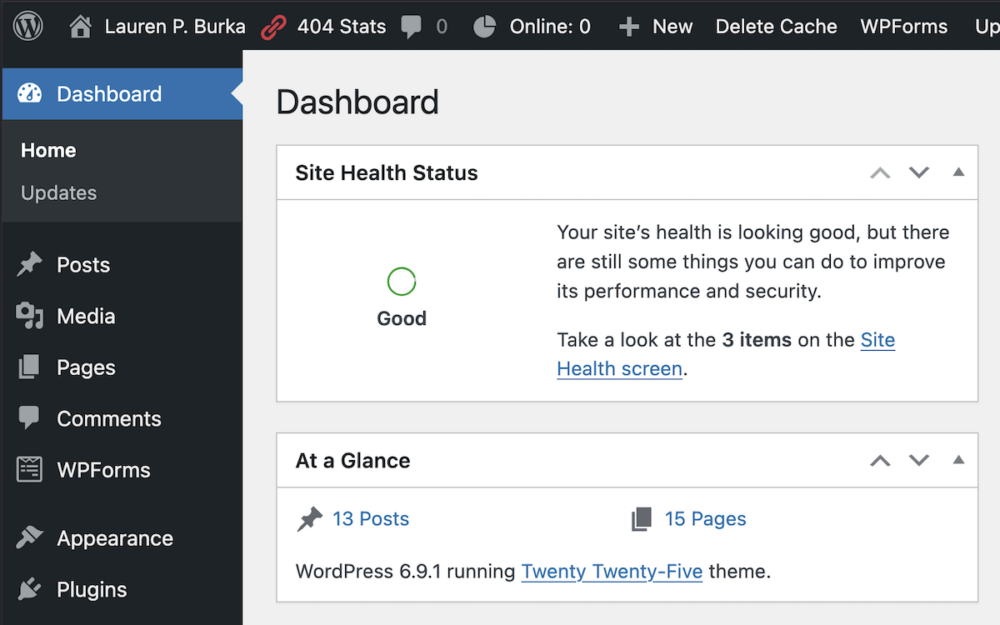
This site is built in WordPress. This is not an endorsement of WordPress. It’s an endorsement of using the right tool for the job. Often the right tool for the job is one that you already know how to use. If you don’t know how to use any web site software, then the right tool may be one that your friends already know how to use so you can ask them questions informed by having read the manual.
It just so happens that I’ve been using WordPress for long enough that I don’t remember when I first played with it. I’ve come back to it over the years, even though it keeps changing in ways that are not for the better, and the community is subject to those weird battles that you get when free open source software (FOSS) is involved. On the plus side, the way WordPress wants you to build pages is almost exactly like how all the other services I’m using do. This saves time and frustration.
From my point of view, the best thing about WordPress is that it is in fact a FOSS platform. That means that lots of people add on to it. Documentation is easy to find, and I can search the web to see if someone else has my problem or, as a last resort, post to r/wordpress begging for help.
WordPress hosting is a commodity. Pretty much every hosting company out there costs about the same and does things the same way. If I decide I hate Dreamhost, I can bale up my site and move it somewhere else within an hour. This is not an option if you’re using, say, Wix. Nevertheless, my priorities aren’t yours. If you’re comfortable with Wix, use Wix.
I’m paying Dreamost an additional $20/year for email service because I don’t like or trust Gmail. Also, mail from me@mydomain.com looks, in my opinion, classier than email from me8912@gmail.com, and the difference is worth paying for. For me. I have a mailbox at my domain, and I download and read my mail locally using an IMAP client.
The last thing I’m going to discuss here is WordPress themes. There are so many themes. How did I choose one?
I started by internalizing that 70% of all web traffic is from phones. Phone real estate is tiny. Anyone looking at my site on a phone will leave if they have to zoom in to read anything. Multi-column layouts, which were the thing a few years ago, are not suitable for phones. As a bonus, almost anything that looks good on a phone will be readable to a vision impaired person using a screen reader; no meaning is conveyed by the position of an element on the page. I feel that accessibility is the minimum courtesy that I owe someone who stops by my virtual home. Given how most of the web looks these days, I’m in the minority.
Because I wanted a free theme that I knew would continue to work for years, I decided to limit myself to themes produced by wordpress.org, which creates a new theme every year. After messing with a few of them, I settled on the 2025 theme. It looks simple and is easy to read.
It is possible to edit a theme to look like anything if you’re willing to code your own CSS. I decided that CSS is a hard limit for me. I don’t want to learn it or maintain it. But if you do, you can make your theme sit up and do tricks.
How much money am I spending so far? $120/year US. Keep an eye on this number, because it’s going to go up. Am I going to make this money back on book sales? Not yet. But if I don’t spend it, getting those sales is going to be much, much more difficult.
Next time I’m going to show you what this site looks like behind the magic curtain and how I use this and other sites to build an audience and drive sales. Meanwhile, take a look around and make yourself comfortable in my virtual web home.